Checked 2026-07-03
Bolt Pricing: Free, Pro, and Teams
Bolt prices on monthly AI token allowances across a free tier, tiered Pro subscriptions, and per-member Teams plans, with bigger token buckets at each step up.
Pricing model
Free daily token allowance plus subscription tiers metered by monthly tokens; larger Pro tiers and Teams plans raise the token bucket.
Best first move
Pro at the entry tier for most individual builders; a larger Pro tier once you regularly run out mid-project; Teams when collaborators share billing.
Watch out
Tokens are consumed by every AI interaction, and large projects burn tokens faster because more code context is processed per message. Late-month token exhaustion mid-feature is the classic complaint, so size the tier to your project scale.
Quick verdict
The free tier is for evaluation only; regular builders should start on the entry Pro tier and upgrade the token bucket only after a month of real usage data.
Plans and pricing
Free
$0
For evaluating the workflow.
- + Small daily token allowance
- + Core AI build-and-edit experience
- + Public project limits
Pro
from ~$20/mo
The standard individual plan.
- + Around 10 million tokens per month at entry level
- + Larger token tiers available at higher prices
- + Private projects and fuller features
Pro (higher tiers)
from ~$50/mo
For heavy builders who exhaust the entry bucket.
- + Substantially larger monthly token buckets
- + Same feature set with more headroom
- + Better cost per token than the entry tier
Teams
from ~$30/mo per member
For collaborating teams.
- + Pooled or per-member token allowances
- + Shared projects and central billing
- + Collaboration and admin features
Source checked: https://bolt.new/pricing. Vendor prices, taxes, plan names, usage limits, and quote terms can change.
Buyer notes
Note 01
Token burn scales with project size: a large codebase consumes far more tokens per prompt than a small prototype, so budget more for mature projects.
Note 02
Buy the entry Pro tier first and track a full month of usage before paying for a bigger bucket.
Note 03
Compare Bolt with v0 and Lovable before committing; all three meter AI usage differently, and the cheapest option depends on how you actually build.
Check value, terms and context before buying
Review method
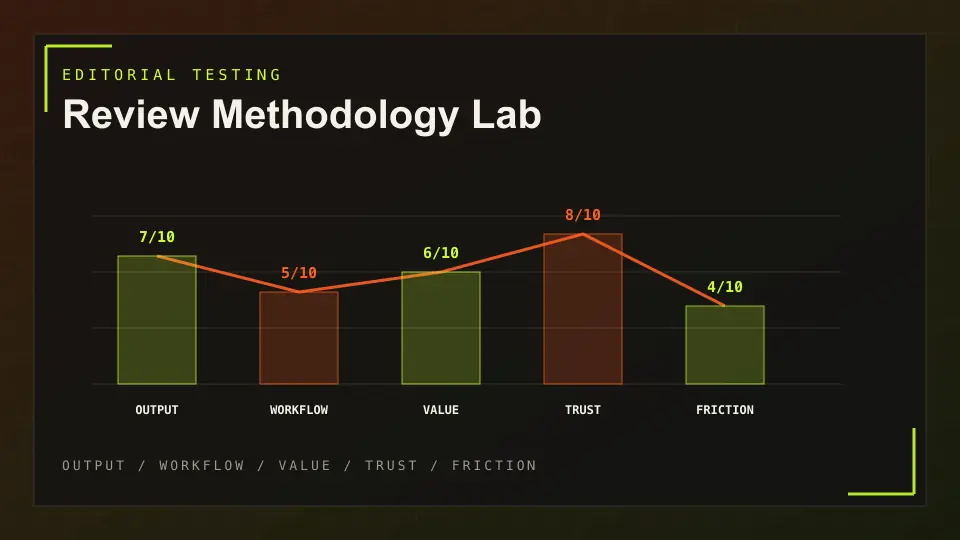
How AES Tech scores practical value, workflow fit, trust signals and buyer friction.
Affiliate disclosure
Commercial links are marked sponsored and do not decide pricing verdicts or rankings.
Privacy notice
How analytics, affiliate click events and direct requests are handled.
Full review
Compare price against strengths, limits, alternatives and best-fit buyers.
Pricing FAQ
How does Bolt metering work?
Plans include a monthly token allowance, and every AI interaction consumes tokens based on how much code and context the model processes. Bigger projects consume tokens faster.
What happens when I run out of tokens?
AI features stop until the allowance resets or you upgrade to a larger tier or buy more tokens. Confirm current top-up options at checkout.
Is the Bolt free plan enough to build a real app?
Usually not. The free daily allowance suits evaluation and small experiments, but sustained building on a real project needs a paid tier.
Next step
Check the live offer before you commit.
We keep this page current, but the final price is the vendor checkout or written sales quote. Review the plan, then compare the full review and alternatives.
Related pricing guides
ChatGPT Pricing: Free, Plus, Pro, Business, and Enterprise
Free plan, paid individual plans, business plans, usage-based Codex, and custom enterprise pricing.
Claude Pricing: Which Plan Should You Choose?
Free, per-user subscriptions, high-usage Max plans, and team seats.
Jasper Pricing: Pro vs Business
Per-seat Pro plan plus custom Business pricing.
Cursor Pricing: Hobby, Pro, Teams, and Enterprise
Free Hobby plan, $20/mo individual Pro, $40/user/mo Teams, and custom Enterprise.